
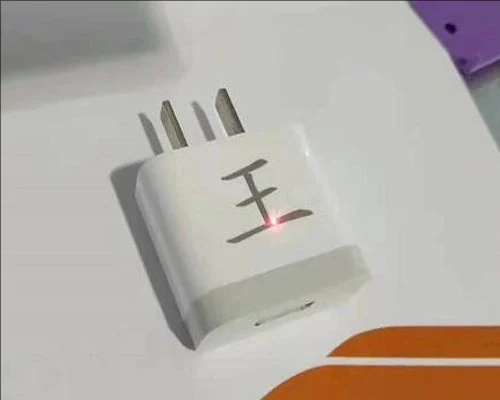
Detailed Explanation of Marking Data Setting
Published 2019-07-02 by the Weihua Laser engineering desk.
Preparing Person Photo Data For Fiber Laser Marking
Marking person photos requires a clear profile, strong contrast between the subject and background, and moderate brightness. These conditions allow the fiber laser source to reproduce the image accurately without losing definition in the subject outline.
Handling Scenery Image Settings And Glitch Minimization
Scenery pictures need high contrast against the background and moderate brightness. You should minimize other fine scenes and glitches in the source image. While a high-quality fiber laser source can handle outstanding details, it is better to avoid marking scenery with various glitches to ensure a clean result.
Vector Extraction For Character Photos And Text Highlighting
Directly marking a bitmap is not effective when highlighting text. You should extract the text from the original picture and mark it as a vector graphic. This can be done using EzCad2.0 software or CorelDRAW. The treatment depends on whether the focus is the highlighted text or the highlighted image.
Software Version And Data Setting Workflow
The data setting process described here applies to fiber laser marking machines using Ezcad software version 2.7.6. Proper data preparation for each image type ensures the machine operates within its intended parameters for clarity and contrast.
Questions On This Topic
What software version is used for these data settings?
Can I mark a bitmap directly if I want to highlight text?
What are the requirements for marking person photos?
How should I prepare scenery pictures for marking?
Which software can be used to extract text for vector marking?
Still Not Sure Which Machine Fits
Send the material and the thickness. We answer with a model and the settings that go with it, not a catalogue.